
Chromebook
If you are having problems with your Chromebook try doing a hard restart: hold power down for a count of 10. If that doesn’t do anything, try holding Power and the Volume Up button for a count of ten. If that doesn’t do anything try holding the refresh button and power button for a count of ten. This fixes most problems.
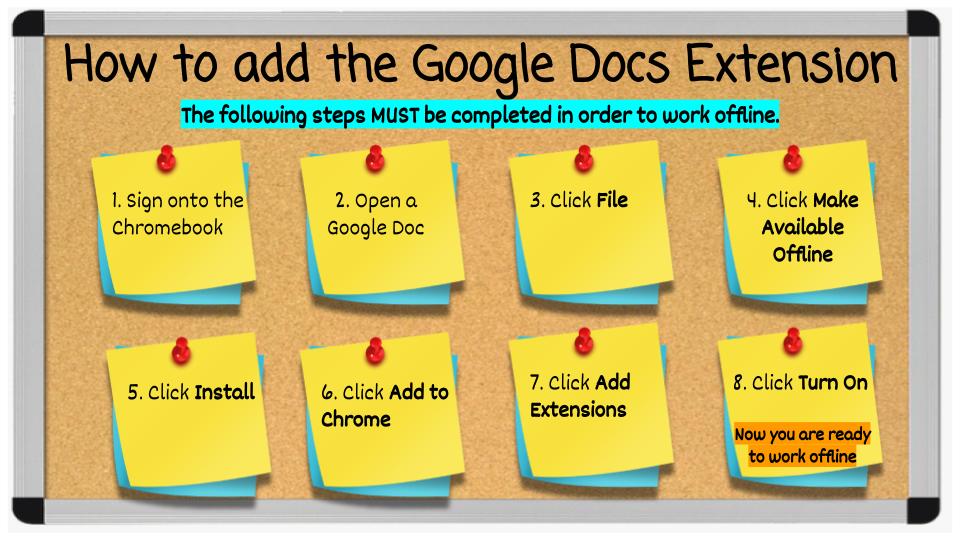
Students can work offline on their chromebooks. First they will need to add a chrome extension.
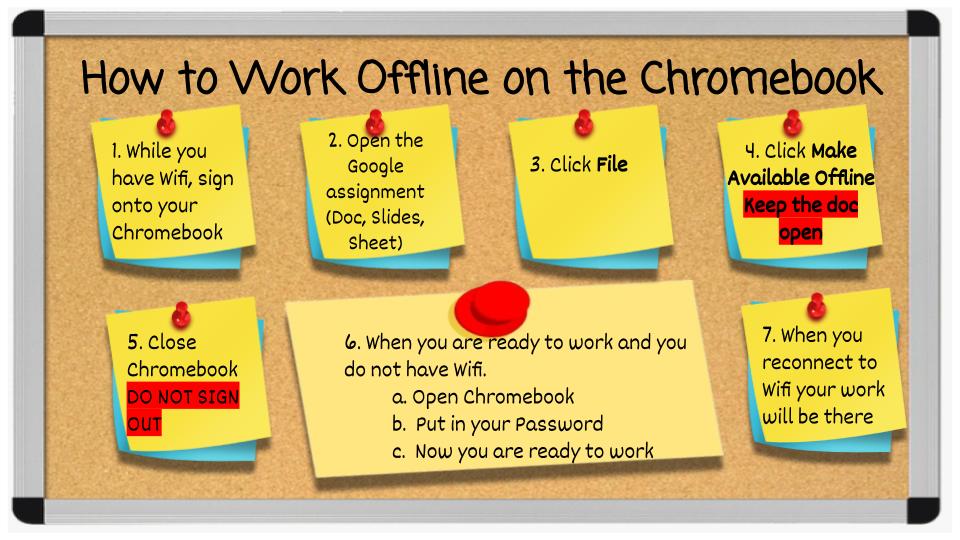
Students do not need to have wifi to get onto their Chromebooks, as long as they have signed onto the Chromebook while they are on wifi. When they open the Chromebook off of wifi, they will type in their password and start working.